

“ VAS – ভাস” বাংলাদেশ বানিজ্য মন্ত্রণালয় থেকে সনদপ্রাপ্ত ডিজিটাল ই-কমার্স প্ল্যাটফর্ম , DBID NO:- 481354082
Access multiple professional JetBrains development tools under an eligible subscription.
Tools for Java, Python, PHP, JavaScript, C++, C#, Go, and more.
Intelligent code completion, debugging, refactoring, and code navigation.
Useful for developers, freelancers, software agencies, and engineering teams.
Check the current subscription duration, included products, and account terms before purchase.
Looking for professional development tools to improve your coding workflow? JetBrains All Products Pack is a subscription bundle designed for software developers, programmers, web developers, data professionals, and engineering teams. It provides access to a collection of powerful integrated development environments (IDEs) and developer tools from JetBrains, helping users write, test, debug, and maintain code more efficiently.
JetBrains is widely recognized for its intelligent coding assistance, code navigation, refactoring tools, debugging capabilities, and support for multiple programming languages and development frameworks. Whether you work with Java, Python, PHP, JavaScript, TypeScript, C++, C#, Go, or other supported technologies, JetBrains offers specialized tools for different development needs.
At VAS, you can explore available JetBrains subscription offers for customers in Bangladesh. Before purchasing, check the product listing carefully for the subscription duration, account type, included products, activation method, and applicable usage terms.
JetBrains All Products Pack is a subscription bundle that provides access to multiple JetBrains IDEs and developer tools under an eligible subscription. Instead of purchasing separate subscriptions for different IDEs, developers can use the products included in the pack according to JetBrains’ current subscription terms.
The bundle is especially useful for developers who work across several programming languages or projects. For example, a developer might use IntelliJ IDEA for Java applications, WebStorm for JavaScript development, PyCharm for Python projects, and DataGrip for database management.
The exact applications and benefits available can change over time. Always verify the current official product list and confirm which subscription is offered by the seller.
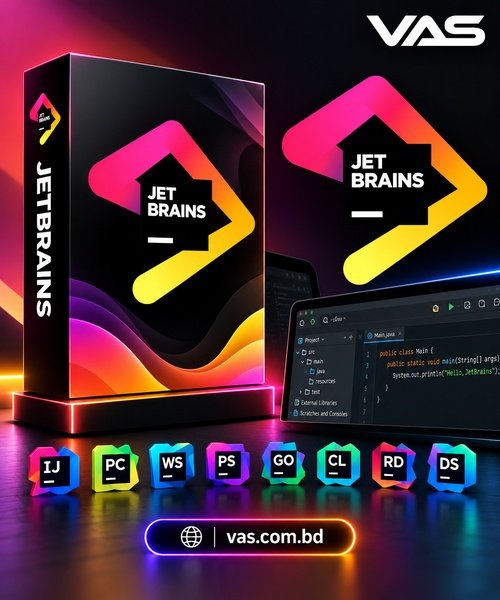
The image references several JetBrains products. Availability under your specific subscription should be confirmed before purchase.
IntelliJ IDEA is an IDE primarily associated with Java and Kotlin development. It offers intelligent coding assistance, navigation, refactoring, testing, and debugging features for supported projects.
PyCharm is designed for Python development. It supports Python coding workflows, debugging, testing, project navigation, and integrations with supported tools and frameworks.
WebStorm is an IDE for JavaScript and TypeScript development. It provides code assistance and tools for working with modern web applications and supported frameworks.
PhpStorm helps PHP developers manage projects, navigate code, debug applications, and work with supported web development technologies.
GoLand is a JetBrains IDE designed for Go programming, with tools for code analysis, navigation, testing, and debugging.
CLion supports C and C++ development, providing code assistance, debugging, project navigation, and supported build-system integrations.
Rider is a cross-platform .NET IDE designed for C# and other supported .NET development workflows, with coding assistance and debugging tools.
DataSpell is a development environment focused on data science workflows, including working with notebooks and supported data tools.
The JetBrains ecosystem also includes specialized products such as DataGrip for database work and ReSharper for .NET developer productivity. The exact products available depend on the subscription terms and current product lineup.
Intelligent code completion, inspections, navigation, and refactoring tools can reduce repetitive work and help developers understand complex codebases.
Developers who maintain projects in several programming languages can benefit from having specialized tools for different development environments.
JetBrains products are used in many software development workflows, including web applications, enterprise systems, backend services, database development, and data science.
An eligible All Products Pack subscription can provide access to multiple tools through one subscription arrangement, which may be convenient for developers who need more than one IDE.
Students, independent developers, and experienced programmers can use development environments to build projects, practice programming, and explore supported technologies, subject to the relevant license terms.
This subscription may be suitable for:
If you only need one IDE, a dedicated product subscription or an available free edition may be more suitable. Compare your requirements and the current official pricing before choosing a plan.
VAS is a Bangladesh-focused digital products and services platform where customers can explore software, subscriptions, development tools, and other digital solutions.
Before ordering JetBrains All Products Pack, review the current listing to confirm the price in BDT, subscription duration, account type, included applications, and activation requirements.
Visit the VAS website: https://vas.com.bd/
Explore the VAS Telegram Store: https://t.me/vasbd_bot
JetBrains All Products Pack is a subscription bundle that provides access to multiple JetBrains IDEs and developer tools under the applicable subscription terms.
The JetBrains ecosystem includes products such as IntelliJ IDEA, PyCharm, WebStorm, PhpStorm, GoLand, CLion, Rider, DataGrip, and other specialized tools. Confirm the current included products before purchasing.
Yes, it can be useful for learners who want to explore professional development environments. However, beginners who need only one programming tool may prefer a free edition or a single-product plan.
Yes. Products such as WebStorm and PhpStorm support relevant web development workflows, depending on the language, framework, and tools you use.
Yes. PyCharm is designed for Python development, while DataSpell supports certain data science workflows.
It depends on your needs. The bundle may offer better value if you regularly use several included products. If you only need one IDE, compare the cost and features of a single-product subscription.
Update access depends on the applicable JetBrains subscription terms and the specific offer. Check the official subscription details for the current conditions.
Visit https://vas.com.bd/ and search for JetBrains All Products Pack. Review the listed price, validity, account type, included applications, and activation requirements before placing an order.
Visit the official JetBrains website at https://www.jetbrains.com/ to explore products, documentation, subscription options, and licensing terms.
Explore JetBrains All Products Pack through VAS to find a development toolkit suited to your programming projects and workflow.

Is The Best Digital Product Selling Platform In Bangladesh.
Sign up to our newsletter