

“ VAS – ভাস” বাংলাদেশ বানিজ্য মন্ত্রণালয় থেকে সনদপ্রাপ্ত ডিজিটাল ই-কমার্স প্ল্যাটফর্ম , DBID NO:- 481354082
৳ 60.00
Editable PSD Photoshop Template
Easy-to-Edit Design
300 DPI Print Resolution
CMYK Color Mode
Standard 3.5 × 2 Inch Size
0.25-Inch Bleed
Editable Text and Layers
Smart Object Logo and QR Code Support
Help Guide Included
Adobe Photoshop CS4 Compatibility
Delivery: Download link sent to your email after successful purchase.
Return Policy: Digital product; no physical delivery. No refunds after the download link or product access is delivered.
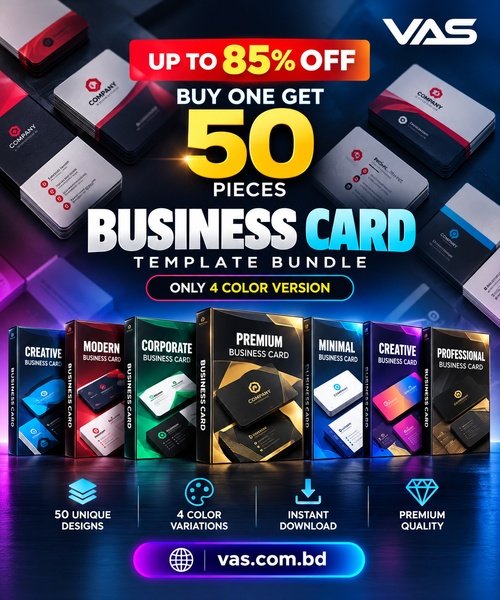
Create professional business cards with this Business Card Template Bundle for Adobe Photoshop. Designed for businesses, freelancers, entrepreneurs, corporate professionals and graphic designers, these templates make it easy to customize business details and create a polished brand identity.
The templates are designed to simplify customization while providing print-ready settings for professional business card production.
The design uses the Nexa font. Download it from the following source:
http://fontfabric.com/nexa-free-font
Download and install the required font before opening and editing the template. Font availability and licensing may vary.
The original design references background resources from GraphicsFuel.com. Check the applicable license terms for any third-party assets before using them in commercial projects.
Your customized business card design is now ready for review and printing.
For the best printing results, confirm the document size, bleed, color mode and resolution with your printing provider before sending the file to production.
Keep important text and logos inside the safe area to avoid accidental trimming. A test print is recommended before ordering a large quantity.
The exact number of designs and included files depends on the selected bundle. Please check the product package details before purchasing.
After successful purchase, the download link will be sent to the customer’s email address. Please provide an active email address during checkout.
This is a downloadable digital product. No physical business cards will be printed or shipped.
Adobe Photoshop is required to edit the PSD files. Please check the included file formats, software compatibility and product details before purchasing.
FAQ
What is a Business Card PSD Template?
A Business Card PSD Template is an editable Adobe Photoshop file that lets you customize business names, contact information, logos and other design elements.
Can I edit this business card template?
Yes, the PSD template is designed for editing text, layers and supported Smart Objects in Adobe Photoshop.
What is the business card size?
The supplied product information specifies a standard size of 3.5 × 2 inches with a 0.25-inch bleed.
Is this product suitable for printing?
The template information specifies 300 DPI and CMYK color mode. Confirm the final print specifications with your printing provider before production.
How will I receive the product?
The download link will be sent to your email after successful purchase.
Is this a physical product?
No. This is a downloadable digital product. No physical business cards will be delivered.

Is The Best Digital Product Selling Platform In Bangladesh.
Sign up to our newsletter